ComponentsBlocksDocsExamples
Cards
Statistic CardsNewList CardsSoonTable CardsSoonTimeline CardsSoonForm CardsSoon
Charts
Line ChartsNewArea ChartsNewBar ChartsSoonPie ChartsSoonDoughnut ChartsSoonRadar ChartsSoon
Navigation
DropdownsSoonNavbarsSoonTabsSoonBreadcrumbsSoonVertical NavigationSoon
Lists
Stacked ListsSoonTablesSoonData GridsSoonTreesSoonFeedsSoon
Forms
Form LayoutsSoonForm WizardsSoonForm UploadsSoonAction FormsSoonModal FormsSoonDrawer FormsSoon
Feedback
AlertsSoonDialogsSoonNotificationsSoonEmpty StatesSoonLoading StatesSoonOverlay ContentSoon
Marketing
HeroNewPricing TablesSoonFeaturesSoonCall to ActionSoonTestimonialsSoon
Ecommerce
HeroNewPagesNewCartsNewPricing TablesSoonFeaturesSoonCall to ActionSoonTestimonialsSoon
Application
App-ShellNew
  1. Blocks
  2. Charts
  3. Area Charts

Area Charts

5 free modern area charts designed to present key metrics and insights. Each chart features unique layouts, data visualizations, and styling options. Perfect for dashboards, admin panels, and analytics pages.
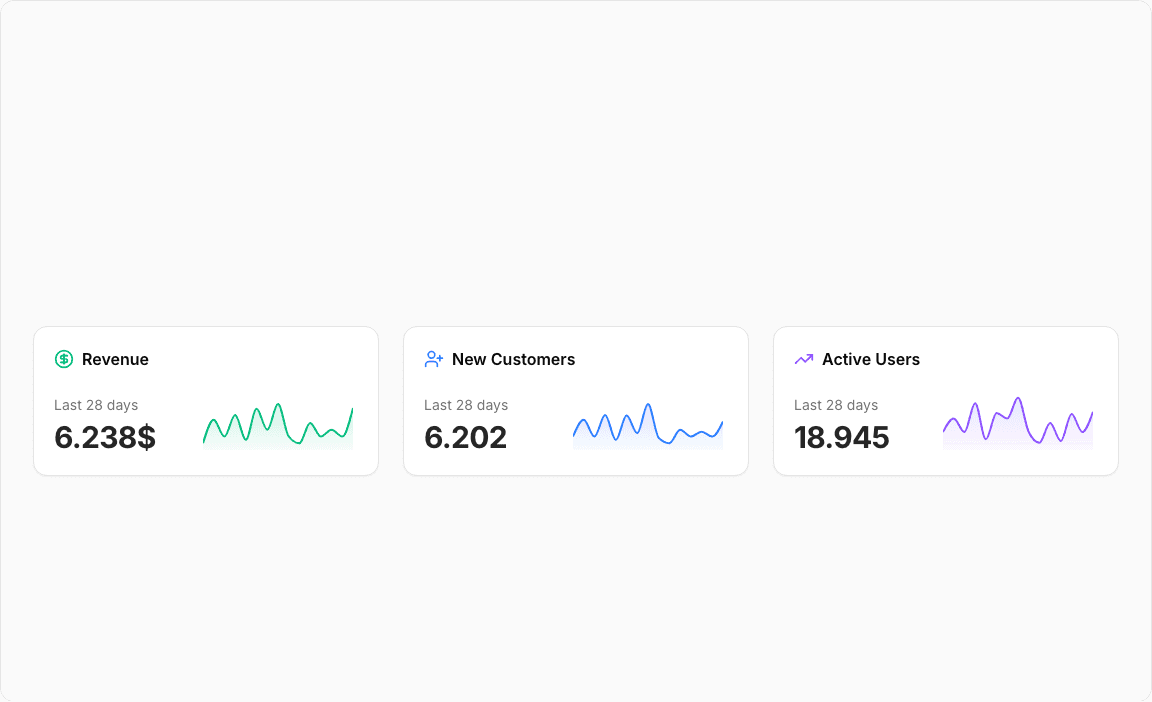
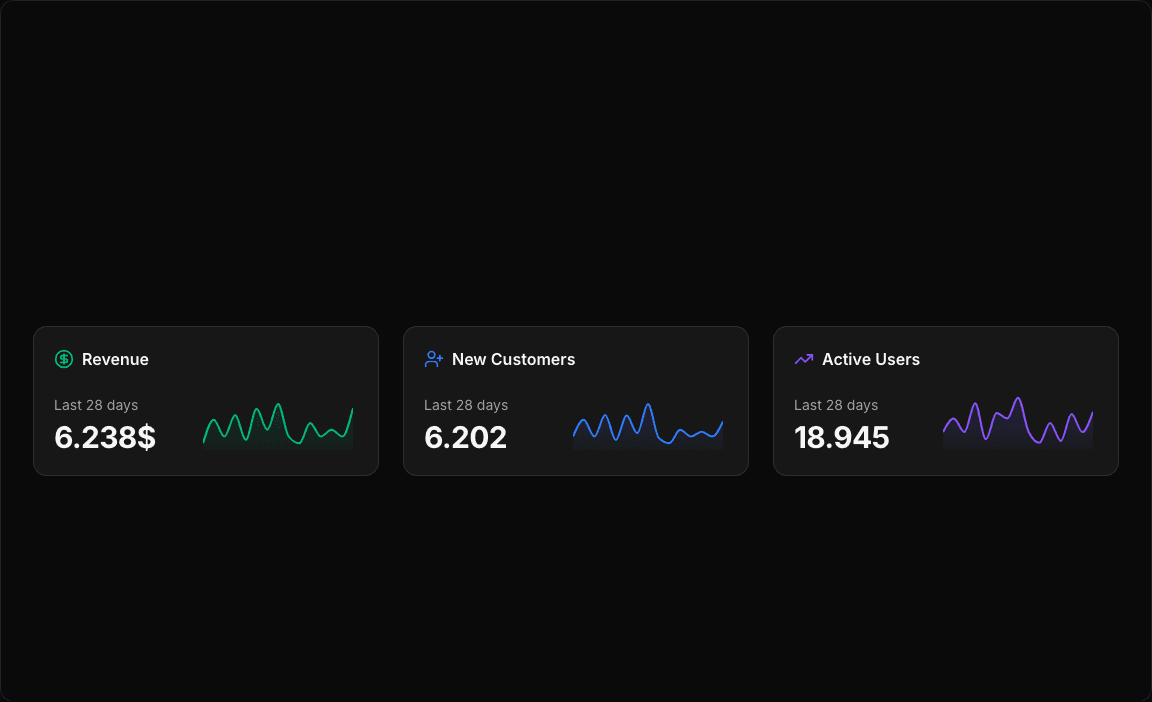
area-chart-1
Open in
Loading...
charts/area-charts/area-chart-1.tsx
'use client';

import React from 'react';
import { Card, CardContent } from '@/registry/default/ui/card';
import { CircleDollarSign, TrendingUp, UserPlus } from 'lucide-react';
import { Area, AreaChart, ResponsiveContainer, Tooltip } from 'recharts';

// Business Case 1: SaaS Revenue Tracking
const revenueData = [
  { value: 1000 },
  { value: 4500 },
  { value: 2000 },
  { value: 5200 },
  { value: 1500 },
  { value: 6100 },
  { value: 3000 },
  { value: 6800 },
  { value: 2000 },
  { value: 1000 },
  { value: 4000 },
  { value: 2000 },
  { value: 3000 },
  { value: 2000 },
  { value: 6238 },
];

// Business Case 2: New Customer Acquisition
const customersData = [
  { value: 2000 },
  { value: 4500 },
  { value: 2000 },
  { value: 5200 },
  { value: 1500 },
  { value: 5100 },
  { value: 2500 },
  { value: 6800 },
  { value: 1800 },
  { value: 1000 },
  { value: 3000 },
  { value: 2000 },
  { value: 2700 },
  { value: 2000 },
  { value: 4238 },
];

// Business Case 3: Monthly Active Users
const activeUsersData = [
  { value: 2000 },
  { value: 3500 },
  { value: 2000 },
  { value: 5200 },
  { value: 1200 },
  { value: 4100 },
  { value: 3500 },
  { value: 5800 },
  { value: 2000 },
  { value: 800 },
  { value: 3000 },
  { value: 1000 },
  { value: 4000 },
  { value: 2000 },
  { value: 4238 },
];

// Business cards configuration
// Use custom or Tailwind standard colors: https://tailwindcss.com/docs/colors
const businessCards = [
  {
    title: 'Revenue',
    period: 'Last 28 days',
    value: '6.238$',
    timestamp: '',
    data: revenueData,
    color: 'var(--color-emerald-500)',
    icon: CircleDollarSign,
    gradientId: 'revenueGradient',
  },
  {
    title: 'New Customers',
    period: 'Last 28 days',
    value: '6.202',
    timestamp: '3h ago',
    data: customersData,
    color: 'var(--color-blue-500)',
    icon: UserPlus,
    gradientId: 'customersGradient',
  },
  {
    title: 'Active Users',
    period: 'Last 28 days',
    value: '18.945',
    timestamp: '1h ago',
    data: activeUsersData,
    color: 'var(--color-violet-500)',
    icon: TrendingUp,
    gradientId: 'usersGradient',
  },
];

export default function AreaChart1() {
  return (
    <div className="min-h-screen flex items-center justify-center p-6 lg:p-8">
      <div className="@container w-full max-w-6xl">
        {/* Grid of 3 cards */}
        <div className="grid grid-cols-1 @3xl:grid-cols-3 gap-6">
          {businessCards.map((card, i) => {
            const Icon = card.icon;
            return (
              <Card key={i}>
                <CardContent className="space-y-5">
                  {/* Header with icon and title */}
                  <div className="flex items-center gap-2">
                    <Icon className="size-5" style={{ color: card.color }} />
                    <span className="text-base font-semibold">{card.title}</span>
                  </div>

                  <div className="flex items-end gap-2.5 justify-between">
                    {/* Details */}
                    <div className="flex flex-col gap-1">
                      {/* Period */}
                      <div className="text-sm text-muted-foreground whitespace-nowrap">{card.period}</div>

                      {/* Value */}
                      <div className="text-3xl font-bold text-foreground tracking-tight">{card.value}</div>
                    </div>

                    {/* Chart */}
                    <div className="max-w-40 h-16 w-full relative">
                      <ResponsiveContainer width="100%" height="100%">
                        <AreaChart
                          data={card.data}
                          margin={{
                            top: 5,
                            right: 5,
                            left: 5,
                            bottom: 5,
                          }}
                        >
                          <defs>
                            <linearGradient id={card.gradientId} x1="0" y1="0" x2="0" y2="1">
                              <stop offset="0%" stopColor={card.color} stopOpacity={0.3} />
                              <stop offset="100%" stopColor={card.color} stopOpacity={0.05} />
                            </linearGradient>
                            <filter id={`dotShadow${i}`} x="-50%" y="-50%" width="200%" height="200%">
                              <feDropShadow dx="2" dy="2" stdDeviation="3" floodColor="rgba(0,0,0,0.5)" />
                            </filter>
                          </defs>

                          <Tooltip
                            cursor={{ stroke: card.color, strokeWidth: 1, strokeDasharray: '2 2' }}
                            content={({ active, payload }) => {
                              if (active && payload && payload.length) {
                                const value = payload[0].value as number;
                                const formatValue = (val: number) => {
                                  if (card.title === 'Revenue') {
                                    return `${(val / 1000).toFixed(1)}k US$`;
                                  } else if (card.title === 'New Customers') {
                                    return `${(val / 1000).toFixed(1)}k`;
                                  } else {
                                    return `${(val / 1000).toFixed(1)}k`;
                                  }
                                };

                                return (
                                  <div className="bg-background/95 backdrop-blur-sm border border-border shadow-lg rounded-lg p-2 pointer-events-none">
                                    <p className="text-sm font-semibold text-foreground">{formatValue(value)}</p>
                                  </div>
                                );
                              }
                              return null;
                            }}
                          />

                          {/* Area with gradient and enhanced shadow */}
                          <Area
                            type="monotone"
                            dataKey="value"
                            stroke={card.color}
                            fill={`url(#${card.gradientId})`}
                            strokeWidth={2}
                            dot={false}
                            activeDot={{
                              r: 6,
                              fill: card.color,
                              stroke: 'white',
                              strokeWidth: 2,
                              filter: `url(#dotShadow${i})`,
                            }}
                          />
                        </AreaChart>
                      </ResponsiveContainer>
                    </div>
                  </div>
                </CardContent>
              </Card>
            );
          })}
        </div>
      </div>
    </div>
  );
}
area-chart-2
Open in
Loading...
charts/area-charts/area-chart-2.tsx
'use client';

import React, { useState } from 'react';
import { Card, CardContent, CardHeader, CardTitle, CardToolbar } from '@/registry/default/ui/card';
import { ChartConfig, ChartContainer, ChartTooltip } from '@/registry/default/ui/chart';
import { Select, SelectContent, SelectItem, SelectTrigger, SelectValue } from '@/registry/default/ui/select';
import { CreditCard, Eye, ShoppingCart, Store, TrendingDown, TrendingUp } from 'lucide-react';
import { Area, AreaChart, CartesianGrid, XAxis, YAxis } from 'recharts';
import { cn } from '@/lib/utils';

// E-commerce conversion funnel data for different periods
const conversionFunnelData = {
  '7d': [
    { period: 'Mon', storeVisits: 2500, productViews: 2100, addToCart: 1400, checkout: 1200 },
    { period: 'Tue', storeVisits: 2800, productViews: 2300, addToCart: 1600, checkout: 1350 },
    { period: 'Wed', storeVisits: 1900, productViews: 1500, addToCart: 950, checkout: 780 },
    { period: 'Thu', storeVisits: 3100, productViews: 2600, addToCart: 1800, checkout: 1500 },
    { period: 'Fri', storeVisits: 2400, productViews: 1900, addToCart: 1200, checkout: 980 },
    { period: 'Sat', storeVisits: 3400, productViews: 2800, addToCart: 1950, checkout: 1620 },
    { period: 'Sun', storeVisits: 2100, productViews: 1700, addToCart: 1100, checkout: 850 },
  ],
  '30d': [
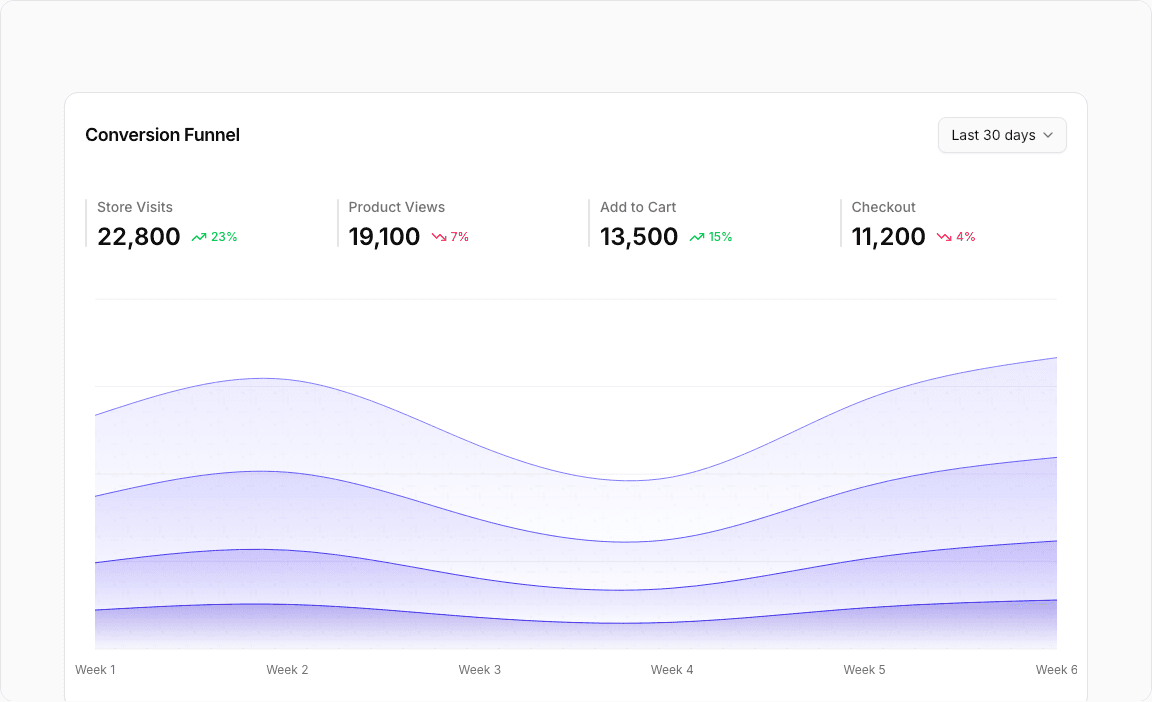
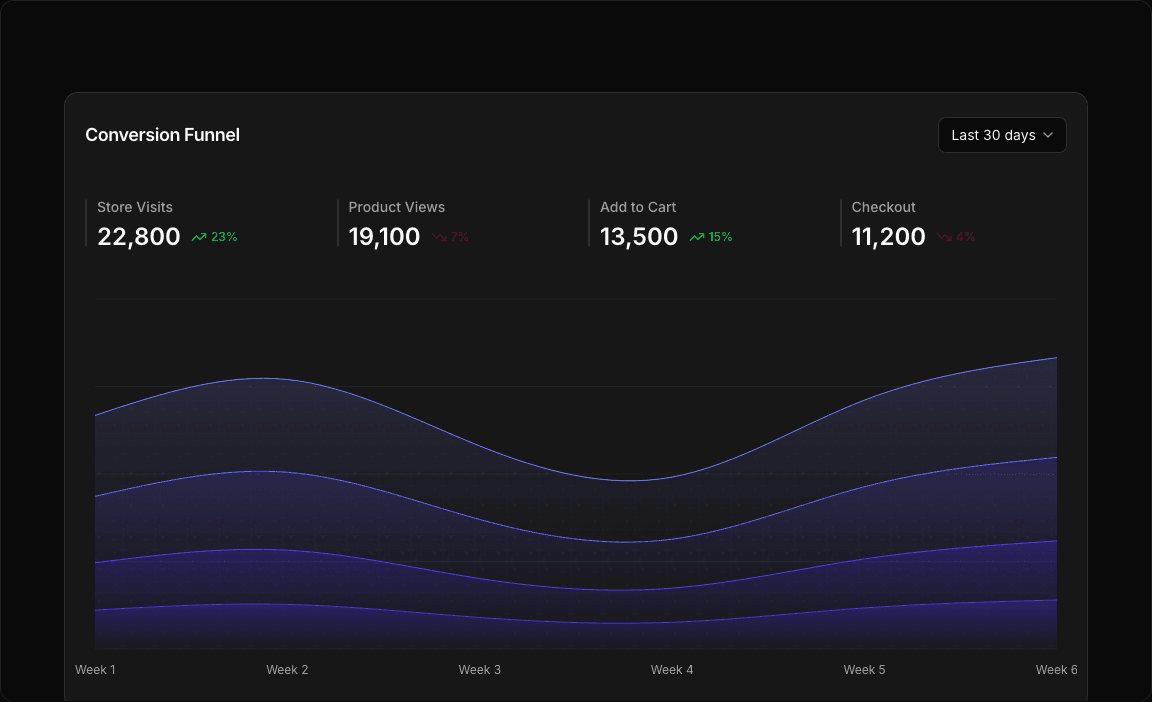
    { period: 'Week 1', storeVisits: 18500, productViews: 15200, addToCart: 10800, checkout: 8900 },
    { period: 'Week 2', storeVisits: 21200, productViews: 17800, addToCart: 12400, checkout: 10200 },
    { period: 'Week 3', storeVisits: 16800, productViews: 13500, addToCart: 8900, checkout: 7200 },
    { period: 'Week 4', storeVisits: 14200, productViews: 11200, addToCart: 7800, checkout: 6100 },
    { period: 'Week 5', storeVisits: 19800, productViews: 16500, addToCart: 11200, checkout: 9400 },
    { period: 'Week 6', storeVisits: 22800, productViews: 19100, addToCart: 13500, checkout: 11200 },
  ],
  '90d': [
    { period: 'Jan', storeVisits: 78000, productViews: 65000, addToCart: 45000, checkout: 37000 },
    { period: 'Feb', storeVisits: 82000, productViews: 68500, addToCart: 48000, checkout: 39500 },
    { period: 'Mar', storeVisits: 69000, productViews: 54000, addToCart: 36000, checkout: 28500 },
    { period: 'Apr', storeVisits: 61000, productViews: 47000, addToCart: 31000, checkout: 24000 },
    { period: 'May', storeVisits: 75000, productViews: 62000, addToCart: 43000, checkout: 35500 },
    { period: 'Jun', storeVisits: 84000, productViews: 71000, addToCart: 49000, checkout: 41000 },
  ],
  '12m': [
    { period: 'Q1', storeVisits: 235000, productViews: 195000, addToCart: 136000, checkout: 112000 },
    { period: 'Q2', storeVisits: 268000, productViews: 223000, addToCart: 156000, checkout: 128000 },
    { period: 'Q3', storeVisits: 198000, productViews: 158000, addToCart: 105000, checkout: 82000 },
    { period: 'Q4', storeVisits: 175000, productViews: 138000, addToCart: 89000, checkout: 68000 },
    { period: 'Q1 24', storeVisits: 251000, productViews: 209000, addToCart: 146000, checkout: 120000 },
    { period: 'Q2 24', storeVisits: 289000, productViews: 241000, addToCart: 168000, checkout: 138000 },
  ],
};

const chartConfig = {
  storeVisits: {
    label: 'Store Visits',
    color: 'var(--color-indigo-400)',
  },
  productViews: {
    label: 'Product Views',
    color: 'var(--color-indigo-500)',
  },
  addToCart: {
    label: 'Add to Cart',
    color: 'var(--color-indigo-600)',
  },
  checkout: {
    label: 'Checkout',
    color: 'var(--color-indigo-700)',
  },
} satisfies ChartConfig;

// Period configuration
const PERIODS = {
  '7d': { key: '7d', label: 'Last 7 days' },
  '30d': { key: '30d', label: 'Last 30 days' },
  '90d': { key: '90d', label: 'Last 90 days' },
  '12m': { key: '12m', label: 'Last 12 months' },
} as const;

type PeriodKey = keyof typeof PERIODS;

// Define stage metrics
const stageMetrics = [
  { key: 'storeVisits', label: 'Store Visits', icon: Store, color: chartConfig.storeVisits.color },
  { key: 'productViews', label: 'Product Views', icon: Eye, color: chartConfig.productViews.color },
  { key: 'addToCart', label: 'Add to Cart', icon: ShoppingCart, color: chartConfig.addToCart.color },
  { key: 'checkout', label: 'Checkout', icon: CreditCard, color: chartConfig.checkout.color },
] as const;

// Custom Tooltip Component
interface TooltipProps {
  active?: boolean;
  payload?: Array<{
    dataKey: string;
    value: number;
    color: string;
  }>;
  label?: string;
}

const CustomTooltip = ({ active, payload, label }: TooltipProps) => {
  if (active && payload && payload.length) {
    return (
      <div className="rounded-lg border bg-popover/95 backdrop-blur-sm p-4 shadow-lg min-w-[200px]">
        <div className="text-sm font-semibold text-popover-foreground mb-3.5 pb-2 border-b border-border/50">
          {label}
        </div>
        <div className="space-y-1.5">
          {stageMetrics.map((stage) => {
            const dataPoint = payload.find((p) => p.dataKey === stage.key);
            const value = dataPoint?.value || 0;

            return (
              <div key={stage.key} className="flex items-center justify-between gap-1.5">
                <div className="flex items-center gap-2">
                  <div className="size-2.5 rounded-sm" style={{ backgroundColor: stage.color }} />
                  <span className="text-xs font-medium text-muted-foreground">{stage.label}</span>
                </div>
                <span className="text-sm font-semibold text-popover-foreground">{value.toLocaleString()}</span>
              </div>
            );
          })}
        </div>
      </div>
    );
  }
  return null;
};

export default function AreaChart2() {
  const [selectedPeriod, setSelectedPeriod] = useState<PeriodKey>('30d');

  // Get data for selected period
  const currentData = conversionFunnelData[selectedPeriod];

  // Calculate current totals for the latest data point
  const latestData = currentData[currentData.length - 1];

  // Calculate percentage changes (simulated based on period)
  const getChangeForMetric = (metric: string) => {
    const changes = {
      '7d': { storeVisits: -16, productViews: 8, addToCart: -12, checkout: 5 },
      '30d': { storeVisits: 23, productViews: -7, addToCart: 15, checkout: -4 },
      '90d': { storeVisits: 12, productViews: 18, addToCart: -8, checkout: 21 },
      '12m': { storeVisits: -5, productViews: 23, addToCart: 32, checkout: -11 },
    };
    return changes[selectedPeriod][metric as keyof (typeof changes)[typeof selectedPeriod]] || 0;
  };

  return (
    <div className="min-h-screen flex items-center justify-center p-6 lg:p-8">
      <Card className="w-full max-w-5xl">
        <CardHeader className="border-0 min-h-auto py-6">
          <CardTitle className="text-lg font-semibold">Conversion Funnel</CardTitle>
          <CardToolbar>
            {/* Period Selector */}
            <Select value={selectedPeriod} onValueChange={(value) => setSelectedPeriod(value as PeriodKey)}>
              <SelectTrigger>
                <SelectValue />
              </SelectTrigger>
              <SelectContent align="end">
                {Object.values(PERIODS).map((period) => (
                  <SelectItem key={period.key} value={period.key}>
                    {period.label}
                  </SelectItem>
                ))}
              </SelectContent>
            </Select>
          </CardToolbar>
        </CardHeader>

        <CardContent className="px-2.5">
          {/* Stats Section */}
          <div className="@container px-2.5">
            <div className="grid @3xl:grid-cols-2 @4xl:grid-cols-4 gap-6 mb-10">
              {stageMetrics.map((stage) => {
                const value = latestData[stage.key as keyof typeof latestData] as number;
                const change = getChangeForMetric(stage.key);

                return (
                  <div key={stage.key} className="space-y-1">
                    <div className="flex items-center gap-2.5">
                      <div className="w-0.5 h-12 rounded-full bg-border"></div>
                      <div className="flex flex-col gap-2">
                        <div className="text-sm font-medium text-muted-foreground">{stage.label}</div>
                        <div className="flex items-center gap-2.5">
                          <span className="text-2xl font-semibold leading-none">{value.toLocaleString()}</span>
                          <span
                            className={cn(
                              'inline-flex items-center gap-1 text-xs font-medium',
                              change >= 0 ? 'text-green-500' : 'text-destructive',
                            )}
                          >
                            {change >= 0 ? <TrendingUp className="size-4" /> : <TrendingDown className="size-4" />}{' '}
                            {/* TODO: Add icon */}
                            {Math.abs(change)}%
                          </span>
                        </div>
                      </div>
                    </div>
                  </div>
                );
              })}
            </div>
          </div>

          {/* Chart */}
          <ChartContainer
            config={chartConfig}
            className="h-[400px] w-full [&_.recharts-curve.recharts-tooltip-cursor]:stroke-initial"
          >
            <AreaChart
              accessibilityLayer
              data={currentData}
              margin={{
                top: 10,
                bottom: 10,
                left: 20,
                right: 20,
              }}
            >
              {/* Background pattern for chart area only */}
              <defs>
                {/* Modern Abstract Background Pattern */}
                <pattern id="modernPattern" x="0" y="0" width="32" height="32" patternUnits="userSpaceOnUse">
                  {/* Diagonal grid lines */}
                  <path
                    d="M0,16 L32,16 M16,0 L16,32"
                    stroke="var(--muted-foreground)"
                    strokeWidth="0.5"
                    strokeOpacity="0.03"
                  />
                  <path
                    d="M0,0 L32,32 M0,32 L32,0"
                    stroke="var(--muted-foreground)"
                    strokeWidth="0.3"
                    strokeOpacity="0.02"
                  />

                  {/* Modern geometric elements */}
                  <circle cx="8" cy="8" r="1.5" fill="var(--muted-foreground)" fillOpacity="0.04" />
                  <circle cx="24" cy="24" r="1.5" fill="var(--muted-foreground)" fillOpacity="0.04" />

                  {/* Abstract rounded rectangles */}
                  <rect x="12" y="4" width="8" height="2" rx="1" fill="var(--muted-foreground)" fillOpacity="0.02" />
                  <rect x="4" y="26" width="8" height="2" rx="1" fill="var(--muted-foreground)" fillOpacity="0.02" />
                  <rect x="20" y="12" width="2" height="8" rx="1" fill="var(--muted-foreground)" fillOpacity="0.02" />

                  {/* Minimal dots */}
                  <circle cx="6" cy="20" r="0.5" fill="var(--muted-foreground)" fillOpacity="0.06" />
                  <circle cx="26" cy="10" r="0.5" fill="var(--muted-foreground)" fillOpacity="0.06" />
                  <circle cx="14" cy="28" r="0.5" fill="var(--muted-foreground)" fillOpacity="0.06" />
                </pattern>

                <linearGradient id="fillStoreVisits" x1="0" y1="0" x2="0" y2="1">
                  <stop offset="5%" stopColor="var(--color-storeVisits)" stopOpacity={0.8} />
                  <stop offset="95%" stopColor="var(--color-storeVisits)" stopOpacity={0.1} />
                </linearGradient>
                <linearGradient id="fillProductViews" x1="0" y1="0" x2="0" y2="1">
                  <stop offset="5%" stopColor="var(--color-productViews)" stopOpacity={0.8} />
                  <stop offset="95%" stopColor="var(--color-productViews)" stopOpacity={0.1} />
                </linearGradient>
                <linearGradient id="fillAddToCart" x1="0" y1="0" x2="0" y2="1">
                  <stop offset="5%" stopColor="var(--color-addToCart)" stopOpacity={0.8} />
                  <stop offset="95%" stopColor="var(--color-addToCart)" stopOpacity={0.1} />
                </linearGradient>
                <linearGradient id="fillCheckout" x1="0" y1="0" x2="0" y2="1">
                  <stop offset="5%" stopColor="var(--color-checkout)" stopOpacity={0.8} />
                  <stop offset="95%" stopColor="var(--color-checkout)" stopOpacity={0.1} />
                </linearGradient>
              </defs>

              <CartesianGrid vertical={false} />

              <XAxis
                dataKey="period"
                tickLine={false}
                axisLine={false}
                tickMargin={10}
                tick={{ textAnchor: 'middle', fontSize: 12 }}
                interval={0}
              />

              <YAxis hide />

              <ChartTooltip
                cursor={{
                  strokeDasharray: '4 4',
                  stroke: 'oklch(45.7% 0.24 277.023)',
                  strokeWidth: 1,
                  strokeOpacity: 0.6,
                }}
                content={<CustomTooltip />}
                offset={20}
                position={{ x: undefined, y: undefined }}
              />

              {/* Background Pattern Areas */}
              <Area
                dataKey="storeVisits"
                type="natural"
                fill="url(#modernPattern)"
                fillOpacity={1}
                stroke="transparent"
                stackId="pattern"
                dot={false}
                activeDot={false}
              />
              <Area
                dataKey="productViews"
                type="natural"
                fill="url(#modernPattern)"
                fillOpacity={1}
                stroke="transparent"
                stackId="pattern"
                dot={false}
                activeDot={false}
              />
              <Area
                dataKey="addToCart"
                type="natural"
                fill="url(#modernPattern)"
                fillOpacity={1}
                stroke="transparent"
                stackId="pattern"
                dot={false}
                activeDot={false}
              />
              <Area
                dataKey="checkout"
                type="natural"
                fill="url(#modernPattern)"
                fillOpacity={1}
                stroke="transparent"
                stackId="pattern"
                dot={false}
                activeDot={false}
              />

              {/* Stacked Areas */}
              <Area
                dataKey="checkout"
                type="natural"
                fill="url(#fillCheckout)"
                fillOpacity={0.5}
                stroke="var(--color-checkout)"
                stackId="a"
                dot={false}
                activeDot={{
                  r: 4,
                  fill: 'var(--color-checkout)',
                  stroke: 'white',
                  strokeWidth: 1.5,
                }}
              />
              <Area
                dataKey="addToCart"
                type="natural"
                fill="url(#fillAddToCart)"
                fillOpacity={0.4}
                stroke="var(--color-addToCart)"
                stackId="a"
                dot={false}
                activeDot={{
                  r: 4,
                  fill: 'var(--color-addToCart)',
                  stroke: 'white',
                  strokeWidth: 1.5,
                }}
              />
              <Area
                dataKey="productViews"
                type="natural"
                fill="url(#fillProductViews)"
                fillOpacity={0.3}
                stroke="var(--color-productViews)"
                stackId="a"
                dot={false}
                activeDot={{
                  r: 4,
                  fill: 'var(--color-productViews)',
                  stroke: 'white',
                  strokeWidth: 1.5,
                }}
              />
              <Area
                dataKey="storeVisits"
                type="natural"
                fill="url(#fillStoreVisits)"
                fillOpacity={0.2}
                stroke="var(--color-storeVisits)"
                stackId="a"
                dot={false}
                activeDot={{
                  r: 4,
                  fill: 'var(--color-storeVisits)',
                  stroke: 'white',
                  strokeWidth: 1.5,
                }}
              />
            </AreaChart>
          </ChartContainer>
        </CardContent>
      </Card>
    </div>
  );
}
area-chart-3
Open in
Loading...
charts/area-charts/area-chart-3.tsx
'use client';

import React, { useState } from 'react';
import { Card, CardContent, CardHeader, CardHeading, CardTitle, CardToolbar } from '@/registry/default/ui/card';
import { ChartConfig, ChartContainer, ChartTooltip } from '@/registry/default/ui/chart';
import { ToggleGroup, ToggleGroupItem } from '@/registry/default/ui/toggle-group/radix';
import { Tooltip, TooltipContent, TooltipTrigger } from '@/registry/default/ui/tooltip/radix';
import { ChartNoAxesCombined, Info, TrendingUp } from 'lucide-react';
import { Area, AreaChart, XAxis } from 'recharts';

// Digital Marketing Impressions data for different periods (in thousands)
const impressionsData = {
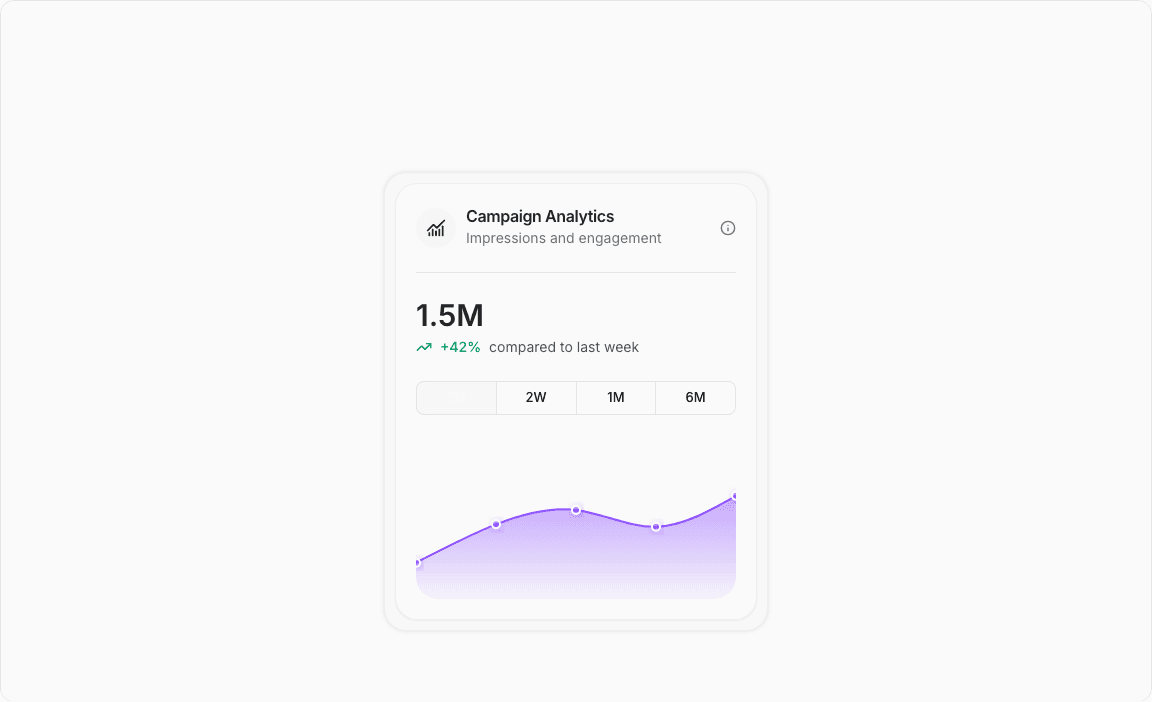
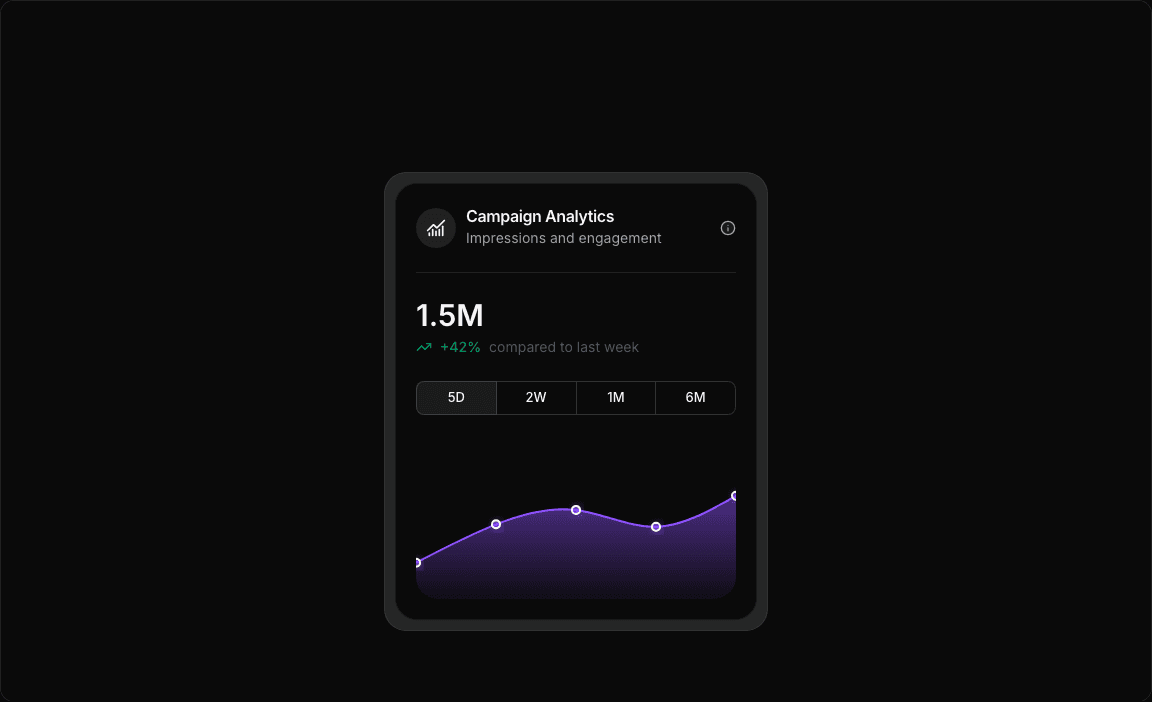
  '5D': [
    { period: 'Mon', impressions: 145.2 },
    { period: 'Tue', impressions: 298.7 },
    { period: 'Wed', impressions: 356.4 },
    { period: 'Thu', impressions: 289.1 },
    { period: 'Fri', impressions: 412.8 },
  ],
  '2W': [
    { period: 'W1', impressions: 1245.5 },
    { period: 'W2', impressions: 1687.3 },
    { period: 'W3', impressions: 1354.9 },
    { period: 'W4', impressions: 1892.6 },
    { period: 'W5', impressions: 1456.2 },
    { period: 'W6', impressions: 2134.7 },
  ],
  '1M': [
    { period: 'W1', impressions: 3245.5 },
    { period: 'W2', impressions: 4187.3 },
    { period: 'W3', impressions: 3654.9 },
    { period: 'W4', impressions: 4892.6 },
    { period: 'W5', impressions: 4156.2 },
    { period: 'W6', impressions: 5234.7 },
    { period: 'W7', impressions: 4823.1 },
    { period: 'W8', impressions: 5567.4 },
  ],
  '6M': [
    { period: 'Jan', impressions: 18745.3 },
    { period: 'Feb', impressions: 22187.7 },
    { period: 'Mar', impressions: 19654.2 },
    { period: 'Apr', impressions: 25892.8 },
    { period: 'May', impressions: 23456.6 },
    { period: 'Jun', impressions: 27234.4 },
  ],
};

const chartConfig = {
  impressions: {
    label: 'Impressions',
    color: 'var(--color-violet-500)',
  },
} satisfies ChartConfig;

// Period configuration
const PERIODS = {
  '5D': { key: '5D', label: '5D' },
  '2W': { key: '2W', label: '2W' },
  '1M': { key: '1M', label: '1M' },
  '6M': { key: '6M', label: '6M' },
} as const;

type PeriodKey = keyof typeof PERIODS;

// Custom Tooltip
interface TooltipProps {
  active?: boolean;
  payload?: Array<{
    value: number;
  }>;
  label?: string;
}

const CustomTooltip = ({ active, payload }: TooltipProps) => {
  if (active && payload && payload.length) {
    const value = payload[0].value;
    return (
      <div className="bg-zinc-900 text-white px-3 py-2 rounded-lg text-sm font-medium shadow-lg">
        ${(value / 1000).toFixed(1)}M USD
      </div>
    );
  }
  return null;
};

export default function AreaChart3() {
  const [selectedPeriod, setSelectedPeriod] = useState<PeriodKey>('5D');

  // Get data for selected period
  const currentData = impressionsData[selectedPeriod];

  // Calculate total impressions for the selected period
  const totalImpressions = currentData.reduce((sum, item) => sum + item.impressions, 0);

  return (
    <div className="min-h-screen flex items-center justify-center p-6 lg:p-8">
      <div className="bg-muted/50 dark:bg-muted shadow-[0_0_4px_0_rgba(0,0,0,0.0.1)] backdrop-blur-xl border border-border/60 rounded-3xl p-2.5 w-full max-w-sm">
        <Card className="rounded-3xl bg-background border-border/50 p-5">
          <CardHeader className="min-h-auto flex-nowrap! p-0 border-b border-border pt-1 pb-6 mb-6">
            <CardHeading className="flex items-center gap-2.5 space-y-0">
              <div className="flex items-center justify-center size-10 rounded-full bg-muted/80">
                <ChartNoAxesCombined className="size-5" />
              </div>
              <div className="flex flex-col justify-center gap-1">
                <CardTitle className="text-base font-semibold text-foreground leading-none">
                  Campaign Analytics
                </CardTitle>
                <p className="text-sm text-muted-foreground">Impressions and engagement</p>
              </div>
            </CardHeading>
            <CardToolbar>
              <Tooltip>
                <TooltipTrigger>
                  <span>
                    <Info className="size-4 fill-muted/60 text-muted-foreground" />
                  </span>
                </TooltipTrigger>
                <TooltipContent>
                  <p>Campaign analytics by period</p>
                </TooltipContent>
              </Tooltip>
            </CardToolbar>
          </CardHeader>
          <CardContent className="p-0 space-y-6">
            {/* Period Selector */}
            <div className="space-y-6">
              {/* Main Metric */}
              <div className="space-y-1">
                <div className="text-3xl font-semibold text-foreground">
                  {totalImpressions >= 1000
                    ? `${(totalImpressions / 1000).toFixed(1)}M`
                    : `${totalImpressions.toFixed(0)}K`}
                </div>
                <div className="flex items-center gap-2 text-sm">
                  <TrendingUp className="size-4 text-emerald-600" />
                  <span className="text-emerald-600 font-medium">+42%</span>
                  <span className="text-gray-600">compared to last {selectedPeriod === '5D' ? 'week' : 'period'}</span>
                </div>
              </div>

              {/* Toggle Group */}
              <ToggleGroup
                type="single"
                value={selectedPeriod}
                onValueChange={(value) => value && setSelectedPeriod(value as PeriodKey)}
                variant="outline"
                className="w-full shadow-none!"
              >
                {Object.values(PERIODS).map((period) => (
                  <ToggleGroupItem
                    key={period.key}
                    value={period.key}
                    className="flex-1 shadow-none data-[state=on]:bg-muted/60"
                  >
                    {period.label}
                  </ToggleGroupItem>
                ))}
              </ToggleGroup>
            </div>

            {/* Chart */}
            <div className="h-40 w-full">
              <ChartContainer
                config={chartConfig}
                className="h-full w-full rounded-b-3xl overflow-hidden [&_.recharts-curve.recharts-tooltip-cursor]:stroke-initial"
              >
                <AreaChart
                  data={currentData}
                  margin={{
                    top: 10,
                    left: 0,
                    right: 0,
                    bottom: 0,
                  }}
                >
                  <defs>
                    <linearGradient id="impressionsGradient" x1="0" y1="0" x2="0" y2="1">
                      <stop offset="5%" stopColor={chartConfig.impressions.color} stopOpacity={0.8} />
                      <stop offset="95%" stopColor={chartConfig.impressions.color} stopOpacity={0.1} />
                    </linearGradient>

                    <filter id="activeDotShadow" x="-50%" y="-50%" width="200%" height="200%">
                      <feDropShadow
                        dx="2"
                        dy="2"
                        stdDeviation="4"
                        floodColor={chartConfig.impressions.color}
                        floodOpacity="0.6"
                      />
                    </filter>
                  </defs>

                  <XAxis dataKey="period" hide />

                  <ChartTooltip
                    content={<CustomTooltip />}
                    cursor={{
                      strokeWidth: 1,
                      strokeDasharray: '2 2',
                      stroke: chartConfig.impressions.color,
                      strokeOpacity: 1,
                    }}
                  />

                  <Area
                    dataKey="impressions"
                    type="natural"
                    fill="url(#impressionsGradient)"
                    stroke={chartConfig.impressions.color}
                    strokeWidth={2}
                    dot={{
                      r: 4,
                      fill: chartConfig.impressions.color,
                      stroke: 'white',
                      strokeWidth: 2,
                      filter: 'url(#activeDotShadow)',
                    }}
                    activeDot={{
                      r: 6,
                      fill: chartConfig.impressions.color,
                      stroke: 'white',
                      strokeWidth: 2,
                      filter: 'url(#activeDotShadow)',
                    }}
                  />
                </AreaChart>
              </ChartContainer>
            </div>
          </CardContent>
        </Card>
      </div>
    </div>
  );
}
area-chart-4
Open in
Loading...
charts/area-charts/area-chart-4.tsx
'use client';

import React, { Fragment, useState } from 'react';
import { Card, CardContent, CardHeader, CardTitle, CardToolbar } from '@/registry/default/ui/card';
import { ChartConfig, ChartContainer, ChartTooltip } from '@/registry/default/ui/chart';
import { ToggleGroup, ToggleGroupItem } from '@/registry/default/ui/toggle-group';
import { CheckCircle, Clock, TrendingUp } from 'lucide-react';
import { Area, AreaChart, XAxis, YAxis } from 'recharts';

// Subscription revenue data for different periods
const revenueData = {
  day: [
    { period: '00:00', revenue: 1200 },
    { period: '04:00', revenue: 800 },
    { period: '08:00', revenue: 2100 },
    { period: '12:00', revenue: 3200 },
    { period: '16:00', revenue: 2800 },
    { period: '20:00', revenue: 1900 },
  ],
  week: [
    { period: 'Mon', revenue: 2400 },
    { period: 'Tue', revenue: 2800 },
    { period: 'Wed', revenue: 2200 },
    { period: 'Thu', revenue: 3200 },
    { period: 'Fri', revenue: 2900 },
    { period: 'Sat', revenue: 1800 },
    { period: 'Sun', revenue: 2600 },
  ],
  month: [
    { period: 'Week 1', revenue: 16800 },
    { period: 'Week 2', revenue: 18200 },
    { period: 'Week 3', revenue: 15600 },
    { period: 'Week 4', revenue: 19400 },
  ],
  year: [
    { period: 'Q1', revenue: 198000 },
    { period: 'Q2', revenue: 225000 },
    { period: 'Q3', revenue: 189000 },
    { period: 'Q4', revenue: 267000 },
  ],
};

const chartConfig = {
  revenue: {
    label: 'Revenue',
    color: 'var(--color-slate-600)',
  },
} satisfies ChartConfig;

// Custom Tooltip
interface TooltipProps {
  active?: boolean;
  payload?: Array<{
    dataKey: string;
    value: number;
    color: string;
  }>;
  label?: string;
}

const CustomTooltip = ({ active, payload }: TooltipProps) => {
  if (active && payload && payload.length) {
    return (
      <div className="rounded-lg bg-zinc-900 text-white p-3 shadow-lg">
        <div className="text-xs font-medium mb-1">Revenue:</div>
        <div className="text-sm font-semibold">${payload[0].value.toLocaleString()}</div>
      </div>
    );
  }
  return null;
};

// Period configuration
const PERIODS = {
  day: { key: 'day', label: 'Day' },
  week: { key: 'week', label: 'Week' },
  month: { key: 'month', label: 'Month' },
  year: { key: 'year', label: 'Year' },
} as const;

type PeriodKey = keyof typeof PERIODS;

// Statistics data
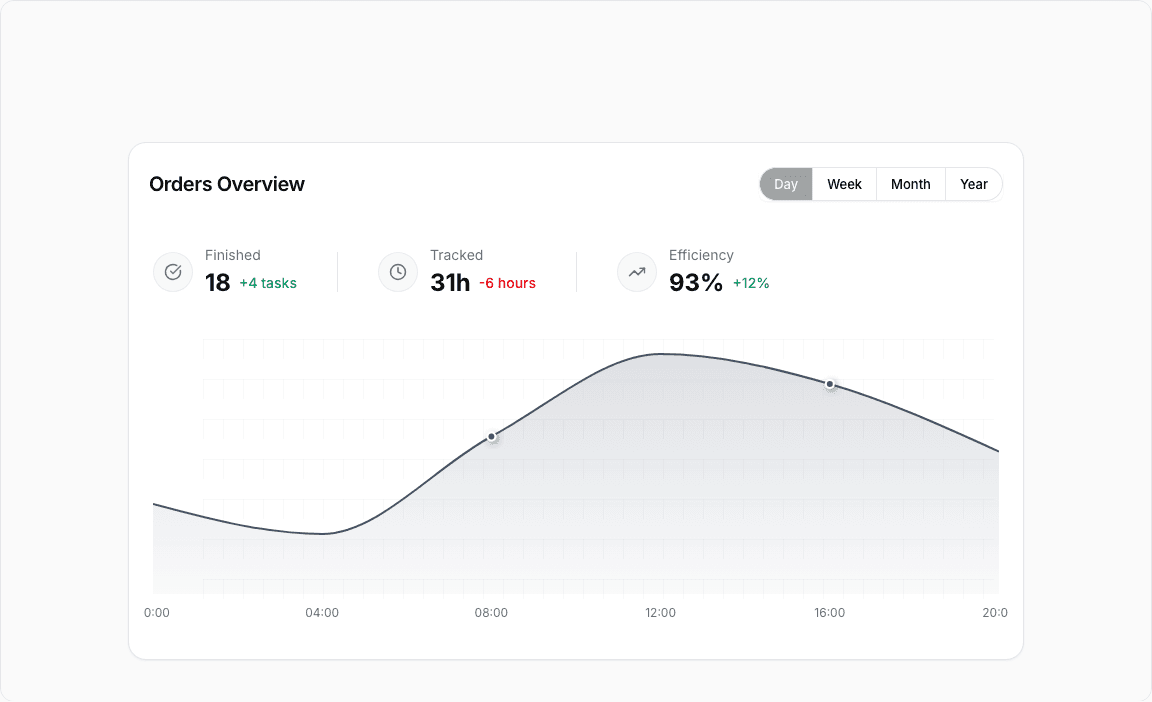
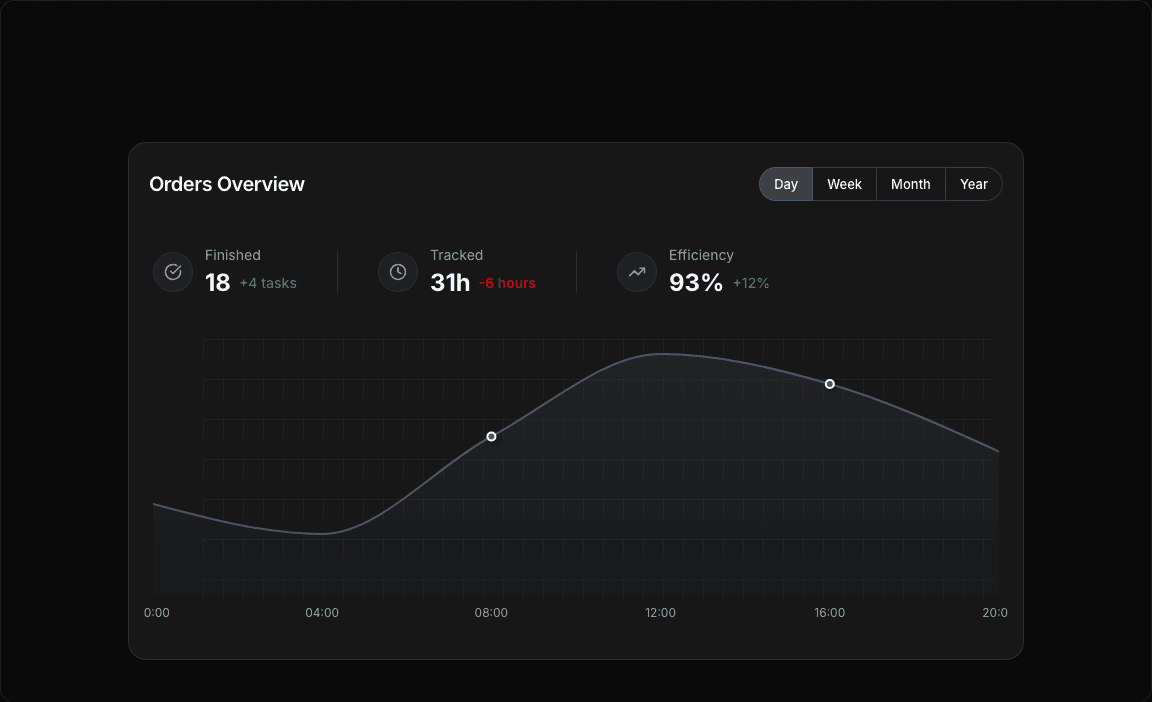
const statisticsData = [
  {
    id: 'finished',
    label: 'Finished',
    value: '18',
    change: '+4 tasks',
    changeType: 'positive',
    icon: CheckCircle,
  },
  {
    id: 'tracked',
    label: 'Tracked',
    value: '31h',
    change: '-6 hours',
    changeType: 'negative',
    icon: Clock,
  },
  {
    id: 'efficiency',
    label: 'Efficiency',
    value: '93%',
    change: '+12%',
    changeType: 'positive',
    icon: TrendingUp,
  },
] as const;

export default function AreaChart4() {
  const [selectedPeriod, setSelectedPeriod] = useState<PeriodKey>('day');

  // Get data for selected period
  const currentData = revenueData[selectedPeriod];

  return (
    <div className="min-h-screen flex items-center justify-center p-6 lg:p-8">
      <Card className="w-full lg:max-w-4xl rounded-2xl">
        <CardHeader className="min-h-auto py-6 border-0">
          <CardTitle className="text-xl font-semibold">Orders Overview</CardTitle>
          <CardToolbar>
            <ToggleGroup
              type="single"
              value={selectedPeriod}
              variant="outline"
              onValueChange={(value) => value && setSelectedPeriod(value as PeriodKey)}
              className=""
            >
              {Object.values(PERIODS).map((period) => (
                <ToggleGroupItem
                  key={period.key}
                  value={period.key}
                  className="px-3.5 first:rounded-s-full! last:rounded-e-full!"
                >
                  {period.label}
                </ToggleGroupItem>
              ))}
            </ToggleGroup>
          </CardToolbar>
        </CardHeader>

        <CardContent className="px-0">
          {/* Statistics Blocks */}
          <div className="flex items-center flex-wrap px-6 gap-10 mb-10">
            {statisticsData.map((stat) => {
              const IconComponent = stat.icon;
              return (
                <Fragment key={stat.id}>
                  <div className="h-10 w-px bg-border hidden lg:block first:hidden" />
                  <div key={stat.id} className="flex items-center gap-3">
                    <div className="flex items-center">
                      <div className="flex items-center gap-3">
                        <div className="flex items-center justify-center w-10 h-10 rounded-full bg-muted/60 border border-muted-foreground/10">
                          <IconComponent className="w-4.5 text-muted-foreground" />
                        </div>
                        <div>
                          <div className="text-sm text-muted-foreground mb-0.5">{stat.label}</div>
                          <div className="flex items-center gap-2">
                            <span className="text-2xl font-bold">{stat.value}</span>
                            <span
                              className={`text-sm font-medium ${
                                stat.changeType === 'positive' ? 'text-emerald-600' : 'text-red-600'
                              }`}
                            >
                              {stat.change}
                            </span>
                          </div>
                        </div>
                      </div>
                    </div>
                  </div>
                </Fragment>
              );
            })}
          </div>

          {/* Chart */}
          <div className="px-3.5 h-[300px] w-full">
            <ChartContainer
              config={chartConfig}
              className="h-full w-full overflow-visible [&_.recharts-curve.recharts-tooltip-cursor]:stroke-initial"
            >
              <AreaChart
                data={currentData}
                margin={{
                  top: 15,
                  right: 10,
                  left: 10,
                  bottom: 15,
                }}
                style={{ overflow: 'visible' }}
              >
                {/* SVG Pattern for chart area */}
                <defs>
                  {/* Grid pattern */}
                  <pattern id="gridPattern" x="0" y="0" width="20" height="40" patternUnits="userSpaceOnUse">
                    <path d="M 20 0 L 0 0 0 20" fill="none" stroke="var(--input)" strokeWidth="0.5" strokeOpacity="1" />
                  </pattern>

                  {/* Area gradient fill */}
                  <linearGradient id="areaGradient" x1="0" y1="0" x2="0" y2="1">
                    <stop offset="0%" stopColor={chartConfig.revenue.color} stopOpacity={0.3} />
                    <stop offset="100%" stopColor={chartConfig.revenue.color} stopOpacity={0.05} />
                  </linearGradient>

                  {/* Shadow filters for dots */}
                  <filter id="dotShadow" x="-100%" y="-100%" width="300%" height="300%">
                    <feDropShadow dx="2" dy="2" stdDeviation="3" floodColor="rgba(0,0,0,0.4)" />
                  </filter>
                  <filter id="activeDotShadow" x="-100%" y="-100%" width="300%" height="300%">
                    <feDropShadow dx="3" dy="3" stdDeviation="4" floodColor="rgba(0,0,0,0.5)" />
                  </filter>
                </defs>

                {/* Background pattern for chart area only */}
                <rect
                  x="60px"
                  y="-20px"
                  width="calc(100% - 75px)"
                  height="calc(100% - 10px)"
                  fill="url(#gridPattern)"
                  style={{ pointerEvents: 'none' }}
                />

                <XAxis
                  dataKey="period"
                  axisLine={false}
                  tickLine={false}
                  tick={{ fontSize: 12, fill: 'var(--muted-foreground)' }}
                  tickMargin={8}
                  interval={0}
                  includeHidden={true}
                />

                <YAxis
                  hide={true}
                  axisLine={false}
                  tickLine={false}
                  tick={{ fontSize: 11, fill: 'var(--muted-foreground)' }}
                  tickFormatter={(value) => `$${value >= 1000 ? `${(value / 1000).toFixed(0)}K` : value}`}
                  tickMargin={8}
                  domain={[0, 'dataMax']}
                  ticks={[0]}
                />

                <ChartTooltip
                  content={<CustomTooltip />}
                  cursor={{
                    stroke: chartConfig.revenue.color,
                    strokeWidth: 1,
                    strokeDasharray: 'none',
                  }}
                />

                <Area
                  type="monotone"
                  dataKey="revenue"
                  stroke={chartConfig.revenue.color}
                  strokeWidth={2}
                  fill="url(#areaGradient)"
                  dot={(props) => {
                    const { cx, cy, payload } = props;
                    // Show dots only for specific periods based on selected time range
                    const showDot =
                      (selectedPeriod === 'day' && (payload.period === '08:00' || payload.period === '16:00')) ||
                      (selectedPeriod === 'week' && (payload.period === 'Thu' || payload.period === 'Sat')) ||
                      (selectedPeriod === 'month' && payload.period === 'Week 2') ||
                      (selectedPeriod === 'year' && payload.period === 'Q2');

                    if (showDot) {
                      return (
                        <circle
                          key={`dot-${cx}-${cy}`}
                          cx={cx}
                          cy={cy}
                          r={4}
                          fill={chartConfig.revenue.color}
                          stroke="white"
                          strokeWidth={2}
                          filter="url(#dotShadow)"
                        />
                      );
                    }
                    return <g key={`dot-${cx}-${cy}`} />; // Return empty group for other points
                  }}
                  activeDot={{
                    r: 6,
                    fill: chartConfig.revenue.color,
                    stroke: 'white',
                    strokeWidth: 2,
                    filter: 'url(#dotShadow)',
                  }}
                />
              </AreaChart>
            </ChartContainer>
          </div>
        </CardContent>
      </Card>
    </div>
  );
}
area-chart-5
Open in
Loading...
charts/area-charts/area-chart-5.tsx
'use client';

import React, { useState } from 'react';
import { Card, CardContent, CardHeader, CardHeading, CardTitle, CardToolbar } from '@/registry/default/ui/card';
import { ChartConfig, ChartContainer, ChartTooltip } from '@/registry/default/ui/chart';
import { ToggleGroup, ToggleGroupItem } from '@/registry/default/ui/toggle-group';
import { Area, ComposedChart, Line, XAxis, YAxis } from 'recharts';

// DeFi protocol financial data
const financeData = {
  day: [
    { month: '00:00', totalDeposits: 4.2, totalBorrowed: 3.1 },
    { month: '04:00', totalDeposits: 4.3, totalBorrowed: 3.2 },
    { month: '08:00', totalDeposits: 4.5, totalBorrowed: 3.3 },
    { month: '12:00', totalDeposits: 4.7, totalBorrowed: 3.3 },
    { month: '16:00', totalDeposits: 4.6, totalBorrowed: 3.2 },
    { month: '20:00', totalDeposits: 4.4, totalBorrowed: 3.1 },
  ],
  week: [
    { month: 'Mon', totalDeposits: 4.2, totalBorrowed: 3.1 },
    { month: 'Tue', totalDeposits: 4.3, totalBorrowed: 3.2 },
    { month: 'Wed', totalDeposits: 4.5, totalBorrowed: 3.3 },
    { month: 'Thu', totalDeposits: 4.7, totalBorrowed: 3.3 },
    { month: 'Fri', totalDeposits: 4.6, totalBorrowed: 3.2 },
    { month: 'Sat', totalDeposits: 4.4, totalBorrowed: 3.1 },
    { month: 'Sun', totalDeposits: 4.3, totalBorrowed: 3.0 },
  ],
  month: [
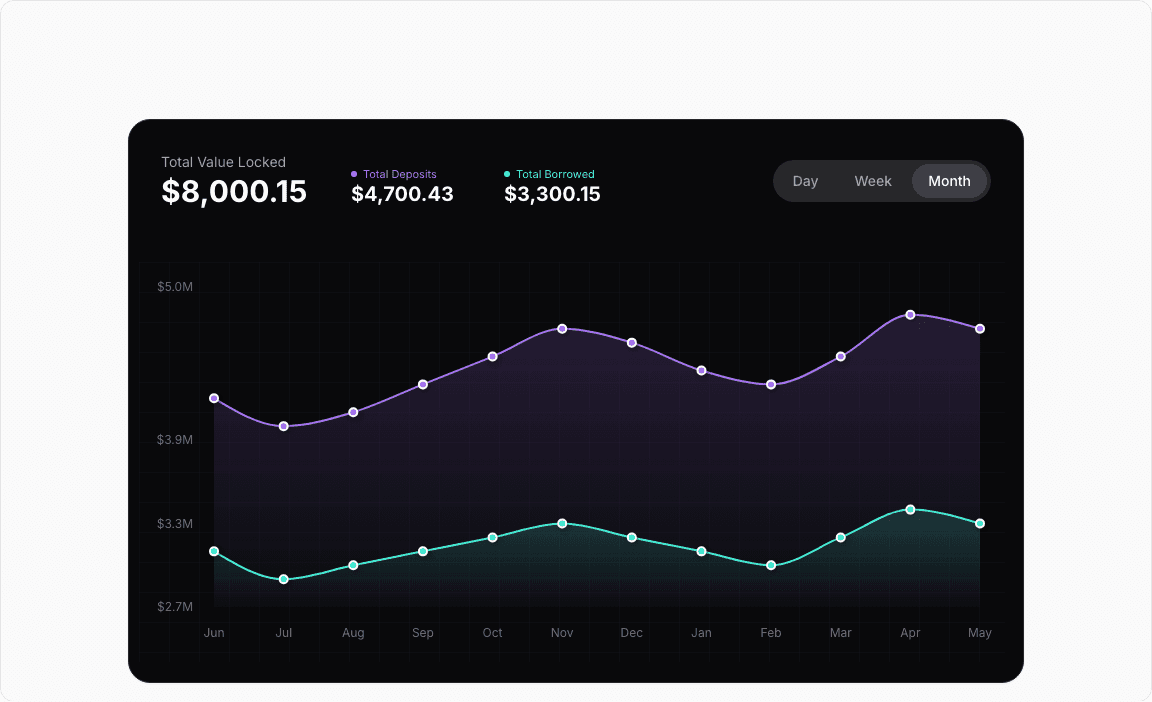
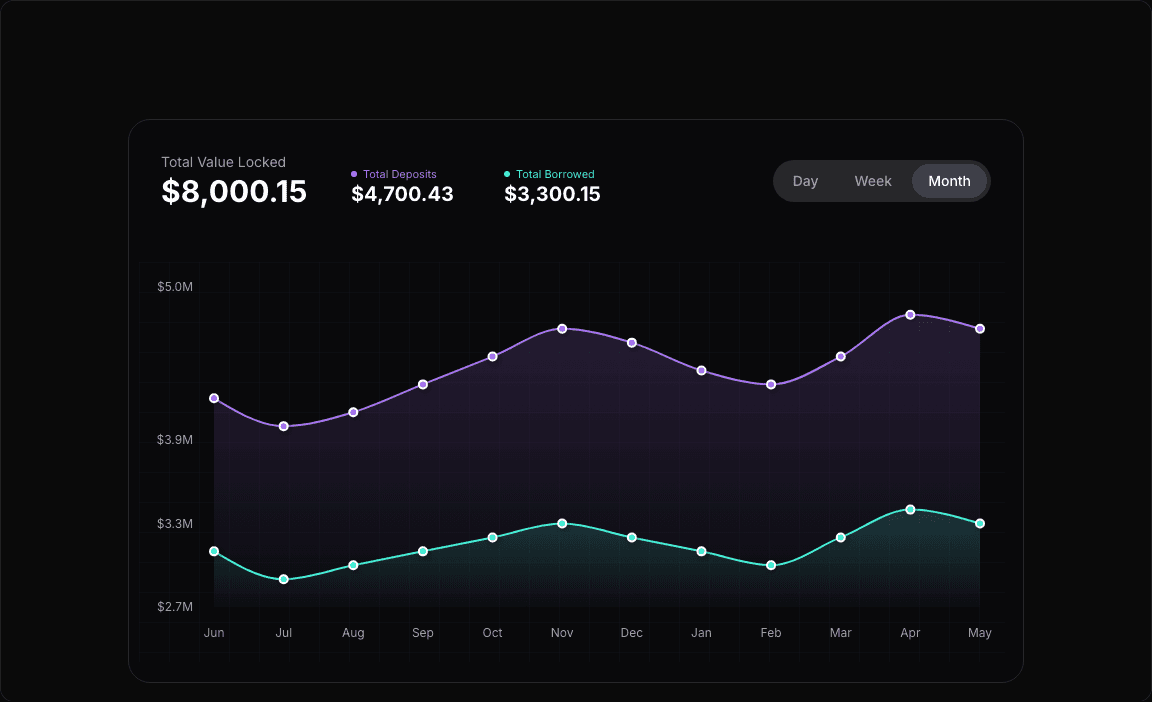
    { month: 'Jun', totalDeposits: 4.2, totalBorrowed: 3.1 },
    { month: 'Jul', totalDeposits: 4.0, totalBorrowed: 2.9 },
    { month: 'Aug', totalDeposits: 4.1, totalBorrowed: 3.0 },
    { month: 'Sep', totalDeposits: 4.3, totalBorrowed: 3.1 },
    { month: 'Oct', totalDeposits: 4.5, totalBorrowed: 3.2 },
    { month: 'Nov', totalDeposits: 4.7, totalBorrowed: 3.3 },
    { month: 'Dec', totalDeposits: 4.6, totalBorrowed: 3.2 },
    { month: 'Jan', totalDeposits: 4.4, totalBorrowed: 3.1 },
    { month: 'Feb', totalDeposits: 4.3, totalBorrowed: 3.0 },
    { month: 'Mar', totalDeposits: 4.5, totalBorrowed: 3.2 },
    { month: 'Apr', totalDeposits: 4.8, totalBorrowed: 3.4 },
    { month: 'May', totalDeposits: 4.7, totalBorrowed: 3.3 },
  ],
};

const chartConfig = {
  totalDeposits: {
    label: 'Total Deposits',
    color: 'hsl(264, 82%, 70%)',
  },
  totalBorrowed: {
    label: 'Total Borrowed',
    color: 'hsl(172, 82%, 60%)',
  },
} satisfies ChartConfig;

// Custom Tooltip
interface TooltipProps {
  active?: boolean;
  payload?: Array<{
    dataKey: string;
    value: number;
    color: string;
  }>;
  label?: string;
}

const CustomTooltip = ({ active, payload, label }: TooltipProps) => {
  if (active && payload && payload.length) {
    // Filter to unique dataKeys to avoid duplicates from Area + Line components
    const uniquePayload = payload.filter(
      (entry, index, self) => index === self.findIndex((item) => item.dataKey === entry.dataKey),
    );

    return (
      <div className="rounded-lg bg-zinc-800 border border-zinc-700 text-white p-3 shadow-lg">
        <div className="text-xs text-zinc-400 mb-2">{label}</div>
        {uniquePayload.map((entry, index) => (
          <div key={index} className="flex items-center gap-2 mb-1">
            <div className="w-2 h-2 rounded-full" style={{ backgroundColor: entry.color }} />
            <span className="text-sm text-zinc-300">
              {entry.dataKey === 'totalDeposits' ? 'Total Deposits' : 'Total Borrowed'}:
            </span>
            <span className="font-semibold">${entry.value.toFixed(2)}M</span>
          </div>
        ))}
      </div>
    );
  }
  return null;
};

// Period configuration
const PERIODS = {
  day: { key: 'day', label: 'Day' },
  week: { key: 'week', label: 'Week' },
  month: { key: 'month', label: 'Month' },
} as const;

type PeriodKey = keyof typeof PERIODS;

export default function AreaChart5() {
  const [selectedPeriod, setSelectedPeriod] = useState<PeriodKey>('month');

  // Get data for selected period
  const currentData = financeData[selectedPeriod];

  // Calculate total values
  const latestData = currentData[currentData.length - 1];
  const totalValueLocked = latestData.totalDeposits + latestData.totalBorrowed;

  return (
    <div className="min-h-screen flex items-center justify-center p-6 lg:p-8">
      <Card className="w-full rounded-3xl lg:max-w-4xl bg-zinc-950 border-zinc-800 text-white">
        <CardHeader className="min-h-auto gap-5 p-8 border-0">
          <CardHeading className="flex flex-wrap items-end gap-5">
            <div className="min-w-40 space-y-0.5 me-2.5">
              <div className="text-sm text-zinc-400 mb-1">Total Value Locked</div>
              <div className="text-3xl leading-none font-bold">${(totalValueLocked * 1000).toLocaleString()}.15</div>
            </div>
            <div className="flex items-center flex-wrap gap-2.5 mb-1.5">
              <div className="space-y-0.5 pe-10">
                <div
                  className="text-[11px] font-normal flex items-center gap-1.5"
                  style={{ color: chartConfig.totalDeposits.color }}
                >
                  <div
                    className="size-1.5 rounded-full "
                    style={{ backgroundColor: chartConfig.totalDeposits.color }}
                  />
                  Total Deposits
                </div>
                <div className="text-xl font-bold leading-none">
                  ${(latestData.totalDeposits * 1000).toLocaleString()}.43
                </div>
              </div>

              <div className="space-y-0.5">
                <div
                  className="text-[11px] font-normal flex items-center gap-1.5"
                  style={{ color: chartConfig.totalBorrowed.color }}
                >
                  <div
                    className="size-1.5 rounded-full "
                    style={{ backgroundColor: chartConfig.totalBorrowed.color }}
                  />
                  Total Borrowed
                </div>
                <div className="text-xl font-bold leading-none">
                  ${(latestData.totalBorrowed * 1000).toLocaleString()}.15
                </div>
              </div>
            </div>
          </CardHeading>
          <CardToolbar>
            <ToggleGroup
              type="single"
              value={selectedPeriod}
              onValueChange={(value) => value && setSelectedPeriod(value as PeriodKey)}
              className="bg-zinc-800 p-1 rounded-full"
            >
              {Object.values(PERIODS).map((period) => (
                <ToggleGroupItem
                  key={period.key}
                  value={period.key}
                  className="px-4 py-2 text-sm data-[state=on]:bg-zinc-700 data-[state=on]:text-white text-zinc-400 hover:bg-zinc-700 hover:text-white rounded-full"
                >
                  {period.label}
                </ToggleGroupItem>
              ))}
            </ToggleGroup>
          </CardToolbar>
        </CardHeader>

        <CardContent className="ps-2.5 pe-4.5">
          <div className="h-[400px] w-full">
            <ChartContainer
              config={chartConfig}
              className="h-full w-full overflow-visible [&_.recharts-curve.recharts-tooltip-cursor]:stroke-initial"
            >
              <ComposedChart
                data={currentData}
                margin={{
                  top: 25,
                  right: 25,
                  left: 15,
                  bottom: 25,
                }}
                style={{ overflow: 'visible' }}
              >
                <defs>
                  {/* Grid pattern */}
                  <pattern id="gridPattern" x="0" y="0" width="30" height="30" patternUnits="userSpaceOnUse">
                    <path
                      d="M 30 0 L 0 0 0 30"
                      fill="none"
                      stroke="rgb(51 65 85)"
                      strokeWidth="0.5"
                      strokeOpacity="0.3"
                    />
                  </pattern>

                  {/* Linear gradients for areas */}
                  <linearGradient id="depositsAreaGradient" x1="0" y1="0" x2="0" y2="1">
                    <stop offset="0%" stopColor={chartConfig.totalDeposits.color} stopOpacity="0.3" />
                    <stop offset="100%" stopColor={chartConfig.totalDeposits.color} stopOpacity="0.02" />
                  </linearGradient>

                  <linearGradient id="borrowedAreaGradient" x1="0" y1="0" x2="0" y2="1">
                    <stop offset="0%" stopColor={chartConfig.totalBorrowed.color} stopOpacity="0.3" />
                    <stop offset="100%" stopColor={chartConfig.totalBorrowed.color} stopOpacity="0.02" />
                  </linearGradient>

                  {/* Shadow filters for dots */}
                  <filter id="dotShadow" x="-100%" y="-100%" width="300%" height="300%">
                    <feDropShadow dx="2" dy="2" stdDeviation="3" floodColor="rgba(0,0,0,0.4)" />
                  </filter>
                  <filter id="activeDotShadow" x="-100%" y="-100%" width="300%" height="300%">
                    <feDropShadow dx="3" dy="4" stdDeviation="6" floodColor="rgba(0,0,0,0.6)" />
                  </filter>
                </defs>

                {/* Background grid */}
                <rect
                  x="0"
                  y="0"
                  width="100%"
                  height="100%"
                  fill="url(#gridPattern)"
                  style={{ pointerEvents: 'none' }}
                />

                <XAxis
                  dataKey="month"
                  axisLine={false}
                  tickLine={false}
                  tick={{ fontSize: 12, fill: 'rgb(148 163 184)' }}
                  tickMargin={15}
                />

                <YAxis
                  axisLine={false}
                  tickLine={false}
                  tick={{ fontSize: 12, fill: 'rgb(148 163 184)' }}
                  tickFormatter={(value) => `$${value.toFixed(1)}M`}
                  domain={['dataMin - 0.2', 'dataMax + 0.2']}
                  tickMargin={15}
                />

                <ChartTooltip content={<CustomTooltip />} />

                {/* Area fills with gradients */}
                <Area
                  type="monotone"
                  dataKey="totalDeposits"
                  stroke="transparent"
                  fill="url(#depositsAreaGradient)"
                  strokeWidth={0}
                  dot={false}
                />

                <Area
                  type="monotone"
                  dataKey="totalBorrowed"
                  stroke="transparent"
                  fill="url(#borrowedAreaGradient)"
                  strokeWidth={0}
                  dot={false}
                />

                {/* Line strokes on top */}
                <Line
                  type="monotone"
                  dataKey="totalDeposits"
                  stroke={chartConfig.totalDeposits.color}
                  strokeWidth={2}
                  dot={{
                    r: 4,
                    fill: chartConfig.totalDeposits.color,
                    stroke: 'white',
                    strokeWidth: 2,
                    filter: 'url(#dotShadow)',
                  }}
                  activeDot={{
                    r: 6,
                    fill: chartConfig.totalDeposits.color,
                    strokeWidth: 2,
                    stroke: 'white',
                    filter: 'url(#activeDotShadow)',
                  }}
                />

                <Line
                  type="monotone"
                  dataKey="totalBorrowed"
                  stroke={chartConfig.totalBorrowed.color}
                  strokeWidth={2}
                  dot={{
                    r: 4,
                    fill: chartConfig.totalBorrowed.color,
                    stroke: 'white',
                    strokeWidth: 2,
                    filter: 'url(#dotShadow)',
                  }}
                  activeDot={{
                    r: 6,
                    fill: chartConfig.totalBorrowed.color,
                    strokeWidth: 2,
                    stroke: 'white',
                    filter: 'url(#activeDotShadow)',
                  }}
                />
              </ComposedChart>
            </ChartContainer>
          </div>
        </CardContent>
      </Card>
    </div>
  );
}

Didn't find what you were looking for?

Suggest block

We use cookies

We use cookies to ensure you get the best experience on our website. For more information on how we use cookies, please see our cookie policy.

By clicking Accept, you agree to our use of cookies.
Learn more.

Token UI

Components

  • Overview
  • Pricing
  • Marketplace
  • Features
  • Integrations
  • Pricing

Blocks

  • Charts
  • Team
  • Blog
  • Careers
  • Contact
  • Privacy

Examples

  • Help
  • Sales
  • Advertise

Docs

  • Twitter
  • Instagram
  • LinkedIn

© 2025 TOUI.dev. All rights reserved.

  • Terms and Conditions
  • Privacy Policy